Login Use your Kuna Library card number and PIN Your PIN is typically the last four digits of the phone number associated with your Kuna Library account.
If you need to reset your PIN 1. Call us at (208) 922-1025. 2. Use Aspen, go to My Account; you’ll see a Reset PIN option on the Sign In pop-up window.
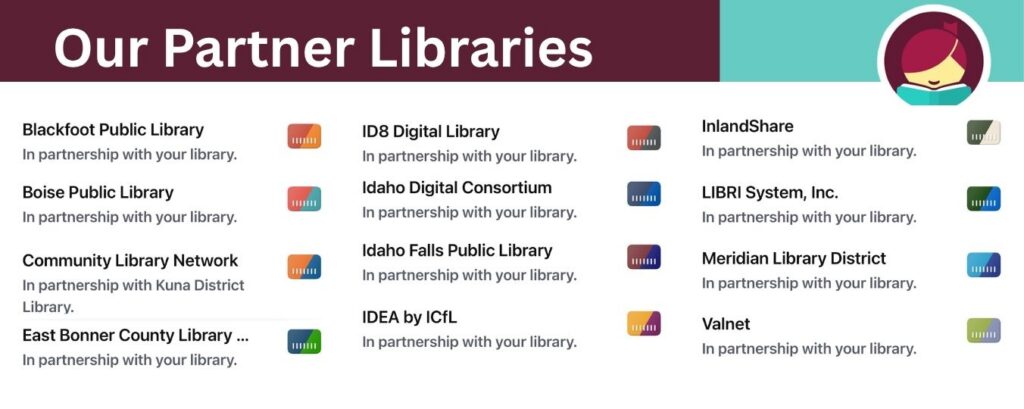
Partner Libraries Our partner libraries are now automatically linked to your Kuna Library Libby account!
This means you can search and borrow books from the Kuna Library collection AND the collections of our 11 partner libraries. No more adding partners individually.
If you have already added our partner libraries, you’ll see a notification about the changes the next time you use the Libby app.
Using Libby on a Computer No mobile device? Read in your computer’s browser at Libbyapp.com.
Using a Kindle Fire Having trouble downloading the Libby App onto your Kindle Fire? Download the App from Amazon. Do you have questions about using Libby with Kindle devices?Find answers here.
Download the free Libby App
New items are added to the Libby collection each Tuesday
This website uses cookies to improve your experience. We'll assume you're ok with this, but you can opt-out if you wish. Cookie settingsACCEPT
Privacy & Cookies Policy
Privacy Overview
This website uses cookies to improve your experience while you navigate through the website. Out of these cookies, the cookies that are categorized as necessary are stored on your browser as they are as essential for the working of basic functionalities of the website. We also use third-party cookies that help us analyze and understand how you use this website. These cookies will be stored in your browser only with your consent. You also have the option to opt-out of these cookies. But opting out of some of these cookies may have an effect on your browsing experience.
Necessary cookies are absolutely essential for the website to function properly. This category only includes cookies that ensures basic functionalities and security features of the website. These cookies do not store any personal information.